Evening Draft
A writing app for people who want to fall in love with the craft. Journal freely, explore ideas with an AI muse who knows your voice, and workshop drafts with a panel of literary critics.
Every window floats over cinematic landscapes — like writing inside a living painting.
macOS Beta requires macOS 26+ · Apple Silicon recommended
Public Beta
Evening Draft is in beta
We're looking for writers who want to help shape what Evening Draft becomes. If you love writing and want to try an AI companion that actually remembers your work, we'd love your feedback.
Join the Beta via TestFlightThe Muse
Your personal creative writing companion that lives inside your journal. Not a generic chatbot — a warm, perceptive partner.
Learns about you over time.
Through your journal entries and any shared documents, like a friend who's been paying attention, Muse learns about you.
Your work stays on your device.
Evening Draft uses Apple Intelligence and stores your history locally. Nothing ever goes to the cloud. Everything stays on your device.
Creative partner
Muse doesn't write for you. Muse asks provocative questions, notices patterns in your thinking, offers unexpected prompts, and gently challenges you when you're playing it safe.
Conversational & concise
Like a brilliant friend at a coffee shop — thoughtful but never long-winded.
The Journal
A clean, focused writing space with everything you need and nothing you don't.
Autosave
Your words are saved as you type — one second after your last keystroke, it's persisted. No save button, no anxiety.
Entry browser
Flip through past entries sorted by last edited. Each entry shows its word count and whether it's been indexed for the Muse.
Index for Muse
One click sends a journal entry through the indexing pipeline so the Muse can recall it in future conversations.
The Desk
A context layer that gives the Muse access to your reference material.
Multiple formats
Plain text, Markdown, RTF, HTML, PDF, and Word documents — drop them on the Desk and they become part of the Muse's working knowledge.
Toggle visibility
Enable or disable individual documents so you control exactly what the Muse can see.
Automatic indexing
Documents placed on the Desk are chunked and indexed into the search engine for RAG retrieval.
The Workshop
A simulated writer's group where five distinct AI characters critique your work or brainstorm story ideas — all at once.
Workshop Mode
Place a draft on the Desk, hit play, and five characters give you feedback — each from their own angle.
Writer's Room Mode
Stuck on a story? Open the room and let the characters pitch ideas, argue with each other, and break the story together.
The Characters
The Cynic
Sharp, skeptical, brutally honest. Finds plot holes, clichés, and lazy writing.
The Optimist
Warm and encouraging. Identifies what's working and frames critique as opportunity.
The Romantic
Reads for emotional truth. Pushes you toward vulnerability and authentic feeling.
The Architect
Thinks in structure — pacing, turning points, narrative momentum.
The Wildcard
Unpredictable and genre-fluid. Pushes you toward risk and the unexpected.
Each character's personality is fully customizable. Edit their prompts to reshape the workshop into exactly the creative panel you want.
Search
Full-text search across your entire journal, powered by SQLite FTS5 with BM25 ranking.
Type a query and get ranked results with highlighted snippets — fast, local, and private.
Customize your workspace
Every window floats as a translucent glass pane over cinematic backgrounds. The Muse, Workshop, and Journal all float independently, letting you arrange your creative workspace however you want.
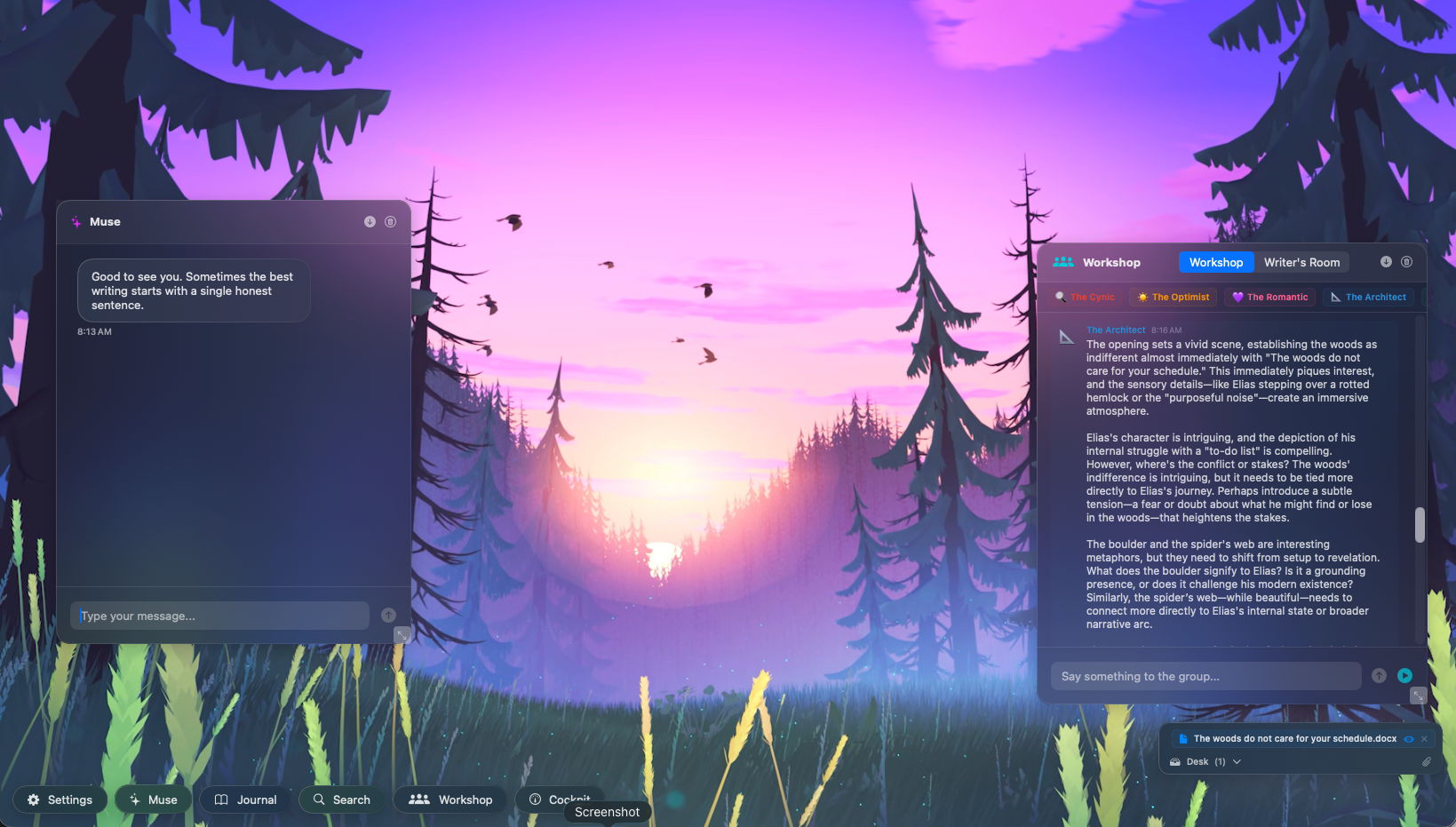
Drag, resize, and minimize windows freely. Switch between video backgrounds anytime from Settings.
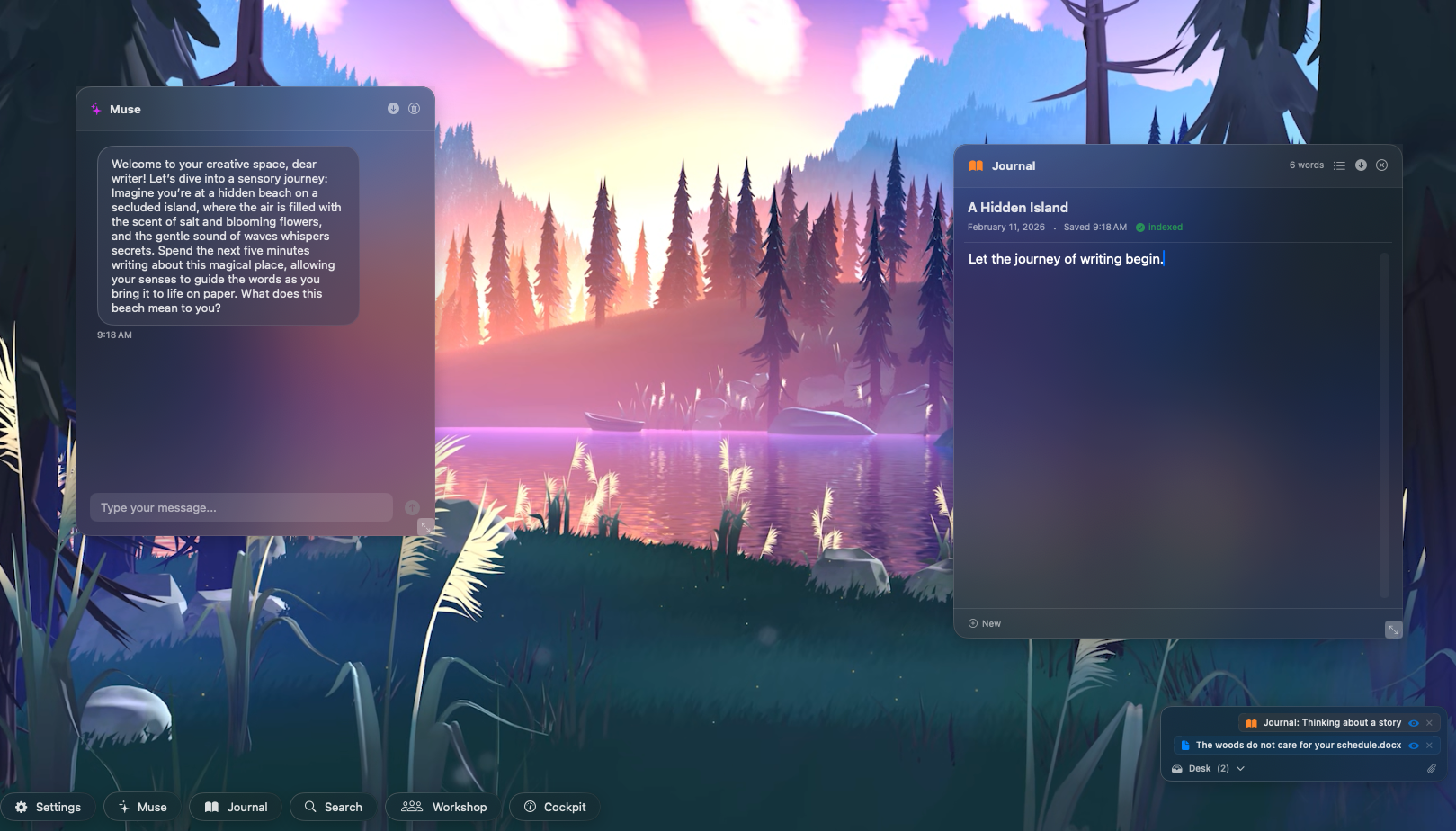
The Muse starts the conversation
Open the Muse and it greets you with a creative journaling exercise — a sensory prompt, a what-if scenario, or a gentle nudge to explore something you've been thinking about. Start writing in the Journal right alongside it.
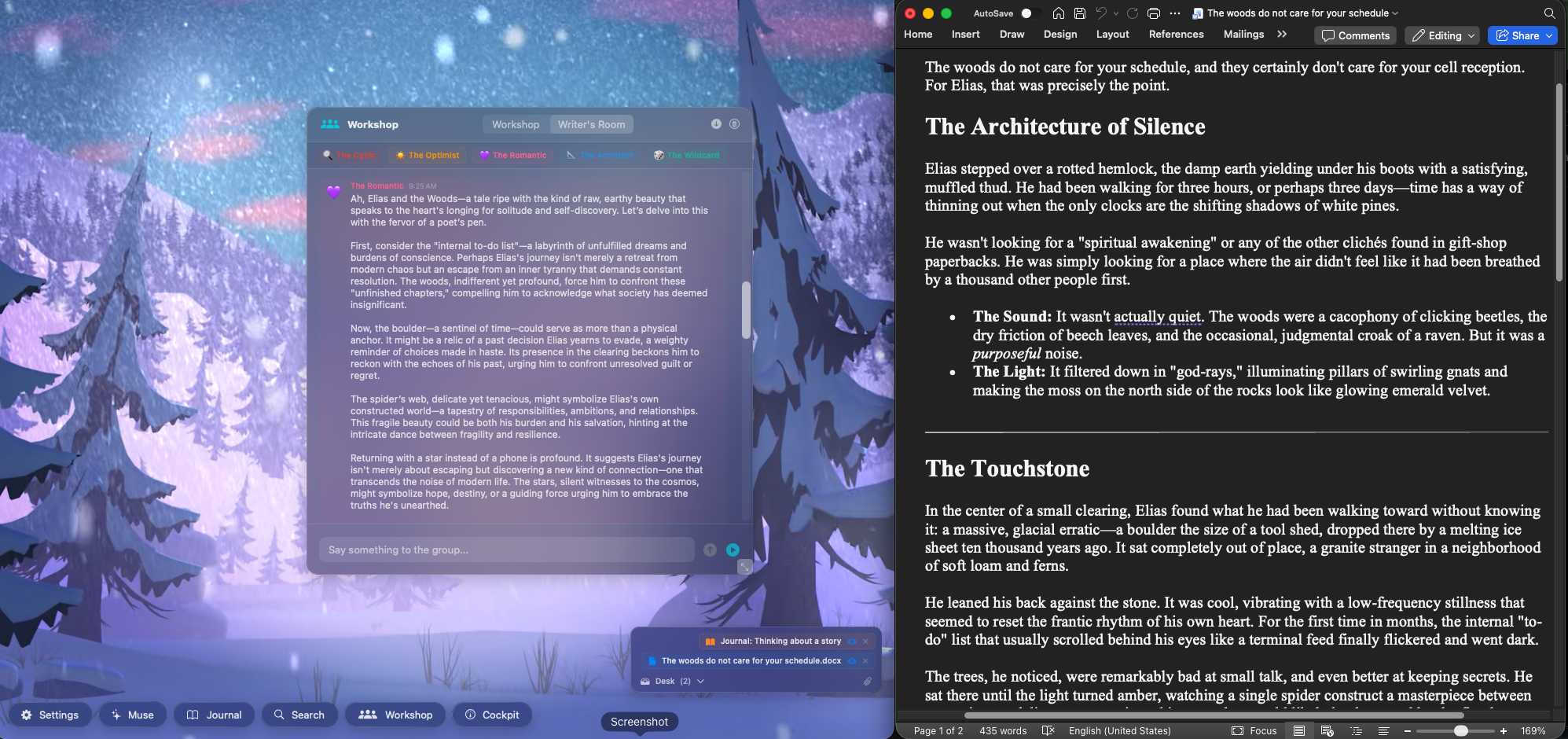
Works alongside your favorite writing app
Keep Evening Draft open next to Word, Scrivener, or any editor you already love. Drop your draft on the Desk, open the Workshop, and let five AI critics give you feedback — all without leaving your workflow.
Glass Panes Over Video
Every window is a translucent glass pane floating over a looping cinematic video background. Your workspace feels alive, but the words stay in focus.
Frosted Glass
Subtle gradient borders and soft shadows create an immersive material feel.
Draggable & Resizable
Arrange your workspace however you like — every pane moves freely.
Minimizable
Collapse any window to its title bar when you need space.
10 Video Backgrounds
Curated cinematic landscapes to set the mood — switch anytime.
Minimal Toolbar
A bottom-left toolbar lets you toggle each window: Settings, Muse, Journal, Search, Workshop, and Cockpit. Everything appears and disappears with smooth animations.
On-Device or Cloud — Your Choice
Evening Draft supports two LLM backends. Switch between providers anytime in Settings.
Apple Foundation Models
On-device · macOS 26+
Runs entirely on-device using Apple Intelligence. Your writing never leaves your Mac. Zero latency, complete privacy.
Advanced LLMs
Available advanced models
Access to more powerful models like ChatGPT, Claude is available and is completely optional.
A Muse That Actually Remembers
Most AI tools forget everything the moment you close the window. Evening Draft is different. Its memory is built on CogMem, a knowledge system grounded in the latest scientific research on how memory actually works — not just keyword matching, but the kind of structured, evolving recall that lets the Muse notice patterns in your writing, remember themes you keep returning to, and grow alongside you as a writer.
It reads what you share
Journal entries and documents you place on the Desk become part of the Muse's working memory — only when you choose.
It connects the dots
The Muse doesn't just store text — it organizes what it knows so it can surface the right memory at the right moment.
It grows with you
The more you write, the better the Muse understands your voice, your interests, and the kind of writer you're becoming.
Powered by CogMem — a self-evolving knowledge operating system. Everything stays on your Mac.
Your Words Stay Yours
Evening Draft is built with privacy at its core. Everything stays on your Mac unless you explicitly choose otherwise.
Local-first
Journal entries, chat history, and search indexes are stored on your Mac in SQLite databases.
No accounts
No sign-up, no login, no cloud sync. Just open and write.
On-device AI option
With Apple Foundation Models, your writing is processed entirely on your hardware.
You control the context
The Desk lets you explicitly choose what the Muse can see. Nothing is shared without your action.